
How to Use an AI Chatbot on Facebook — and Set It Up for Free
June 27, 2024
Try the Latest MixerBox AI for Free
AI has become an indispensable part of many people’s daily work and lives — but “how” do you actually use it? Your first instinct might be to open a standalone AI platform like ChatGPT or Gemini, but for a lot of people, these apps mean another install and another thing to learn, which is a real hassle. Did you know there are ways to use an AI chatbot for free right inside Facebook?
According to statistics, as of early 2024 there were 16.95 million Facebook users in Taiwan — more than 70% of the population. You might not open the ChatGPT app on your own every day, but you almost certainly check Facebook several times a day.
If ChatGPT worked directly on Facebook, it would not only be more convenient — no need to keep switching between apps — but also feel more natural and seamless to use. Another bonus is that you don’t have to install yet another app, which saves storage space on your phone.
This article shows you three ways to use an AI chatbot right on Facebook, all of which you can set up for free:
Table of Contents
- Chat with MixerBox AI on Facebook Messenger
- Chat with Meta AI on Facebook Messenger
- Connect Facebook Messenger and ChatGPT via the API
**Chat with MixerBox AI on Facebook Messenger
**
This is our top recommendation for using AI for free on Facebook Messenger.
MixerBox AI has long been the No. 1 free AI chat app developed in Taiwan. It was the first Traditional Chinese chatbot powered by ChatGPT, and could fairly be called the ChatGPT that understands Taiwanese users best. It has already earned more than 10,000 positive reviews on the App Store and Android in Taiwan, with ratings as high as 4.6–4.7.
To better match how people in Taiwan use their phones, MixerBox AI developed a way to connect AI with Facebook Messenger, so you can ask the AI questions directly in Messenger.
Set Up MixerBox AI on Messenger in 3 Easy Steps
-
Open Messenger
Open Facebook on your phone or computer and tap the Messenger icon, or open the Messenger app directly.
-
Search for MixerBox AI
Type “MixerBox AI” into the Messenger search box and search. Find the official MixerBox AI chatbot account.
-
Start chatting
Tap the MixerBox AI chatbot in the search results and open the chat window to start chatting.
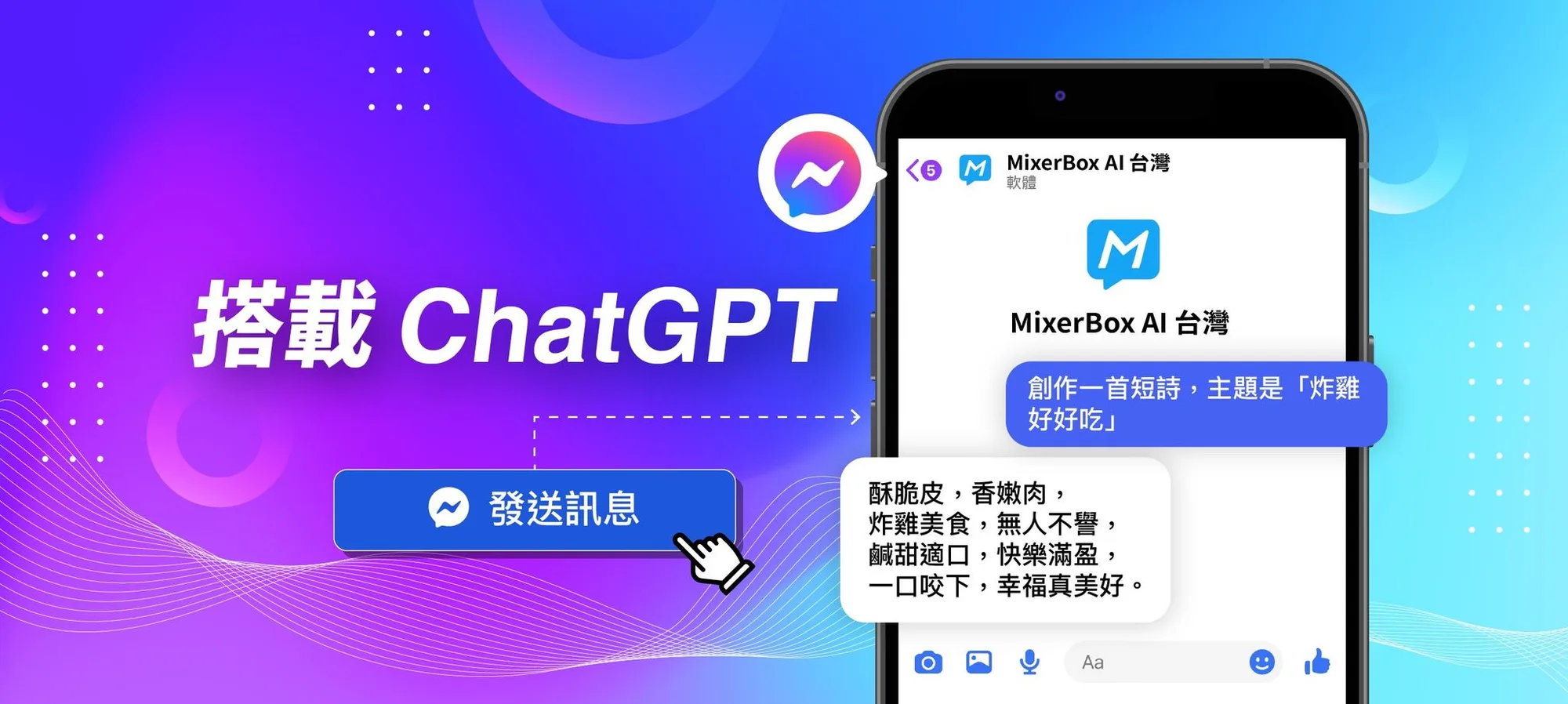
Once you follow the MixerBox AI Facebook page, you can type your questions or requests into the chat window every day, and MixerBox AI will automatically respond and help out. Ask it anything, from everyday information to professional advice — MixerBox AI can give you timely answers.
To learn more, check out this article: MixerBox AI Chatbot 2024: Getting-Started Guide
Chat with Meta AI on Facebook Messenger
Meta AI, launched by Facebook’s parent company Meta, also offers AI chat on Messenger. As the name suggests, Meta AI is a chatbot developed by Meta. Under the hood, it runs on Meta’s Llama 3 model and the Emu image generation model. Besides Facebook and Messenger, it’s also available on platforms like Instagram and WhatsApp.
Here’s roughly how to set up Meta AI on Facebook Messenger:
1. In the Messenger mobile app, tap the Meta AI tab.
2. Choose one of the suggested prompts, or tap the text box to type your own prompt, then tap the send button.
3. Meta AI will reply to you in the chat, and you can keep the conversation going.
However, Meta AI isn’t yet available to users in Taiwan. If you want to use it, you’ll need to use a VPN to connect through a region where it’s already available, or wait for Meta to launch it in Taiwan.
According to Meta’s latest official information, the English version of Meta AI has launched in regions including the U.S., Australia and New Zealand, Africa and Singapore, but it isn’t available in Taiwan yet. Meta says it will expand to more countries and languages in the future, but hasn’t announced when it will launch in Taiwan.
Connect Facebook Messenger and ChatGPT via the API
If you want to use the official version of ChatGPT directly on Facebook, there’s a way to do that too! You can connect Facebook Messenger and ChatGPT through the API. This approach requires some engineering skills, though, and the process is relatively complex, so it may not be the best fit for the average user.
Here’s an overview of how to do it, including the steps for setting up a Facebook developer account, creating a Messenger bot and connecting it to the ChatGPT API:
1. Create a Facebook developer account: Go to Facebook for Developers to create a developer account, then click the “Create App” button on your developer account homepage to start building the app you want.
2. Create a Messenger bot: In your new app’s dashboard, click “Add Product” and follow the instructions to set it up, then generate a Page Access Token, which your app will use as its credential when interacting with the Messenger API.
3. Connect the ChatGPT API: This step has two parts. First, sign up on the official OpenAI website and get your own API key. Then you’ll need to use Node.js or another backend framework to build a server that handles messages from Messenger and interacts with the ChatGPT API.
Once you’ve completed these steps, you’ll have successfully connected Facebook Messenger and ChatGPT, creating your very own Facebook ChatGPT! Since this runs through the ChatGPT developer API, keep in mind that you may still get a bill from OpenAI once you exceed the free usage quota.
Try the Latest MixerBox AI for Free
👉👉 Download the MixerBox AI app for free and explore more useful features: mbapp.io/MixerBoxAI
👉👉 More advanced MixerBox AI tutorials:
MixerBox AI Chatbot 2024: Free Download and Getting-Started Guide
7 Practical Tips to Make AI Chatbots More Accurate
Custom AI Now Free, and You Can Set Your Own Frequently Used Commands
4 Super-Useful AI Plugins That Dramatically Speed Up Your Workflow