
MixerBox AI Chatbot: Free Download of the Latest 2024 Version and a Quick-Start Guide
May 27, 2024
Looking for the best AI chatbot in 2024? The MixerBox AI chatbot is free, has 6 exclusive features and a million users, making it one of the top choices to consider.
MixerBox AI has long ranked near the top of Taiwan’s AI chatbot charts, and the team has kept refining it and shipping new features since launch, including the most advanced AI models, more than 20 ChatGPT plugins and a fully Traditional Chinese interface. All of this has made this AI chatbot, built by a Taiwanese team, a long-time favorite among users in Taiwan, and its user base worldwide has passed one million.
Here’s our pick for the best free AI chatbot of 2024. This article shows you how to download and use the latest version of the MixerBox AI chatbot for free, and walks you through its 4 most popular use cases and 7 advanced tips.
Try the latest MixerBox AI for free
Table of Contents
- Free MixerBox AI: A 2-Step Download and Installation Guide
- What Is MixerBox AI?
- How to Use MixerBox AI: 4 Key Use Cases
- Advanced MixerBox AI: Master These 7 Tips
**Free MixerBox AI: A 2-Step Download and Installation Guide
**
In just 2 simple steps, you can download and use MixerBox AI for free.
-
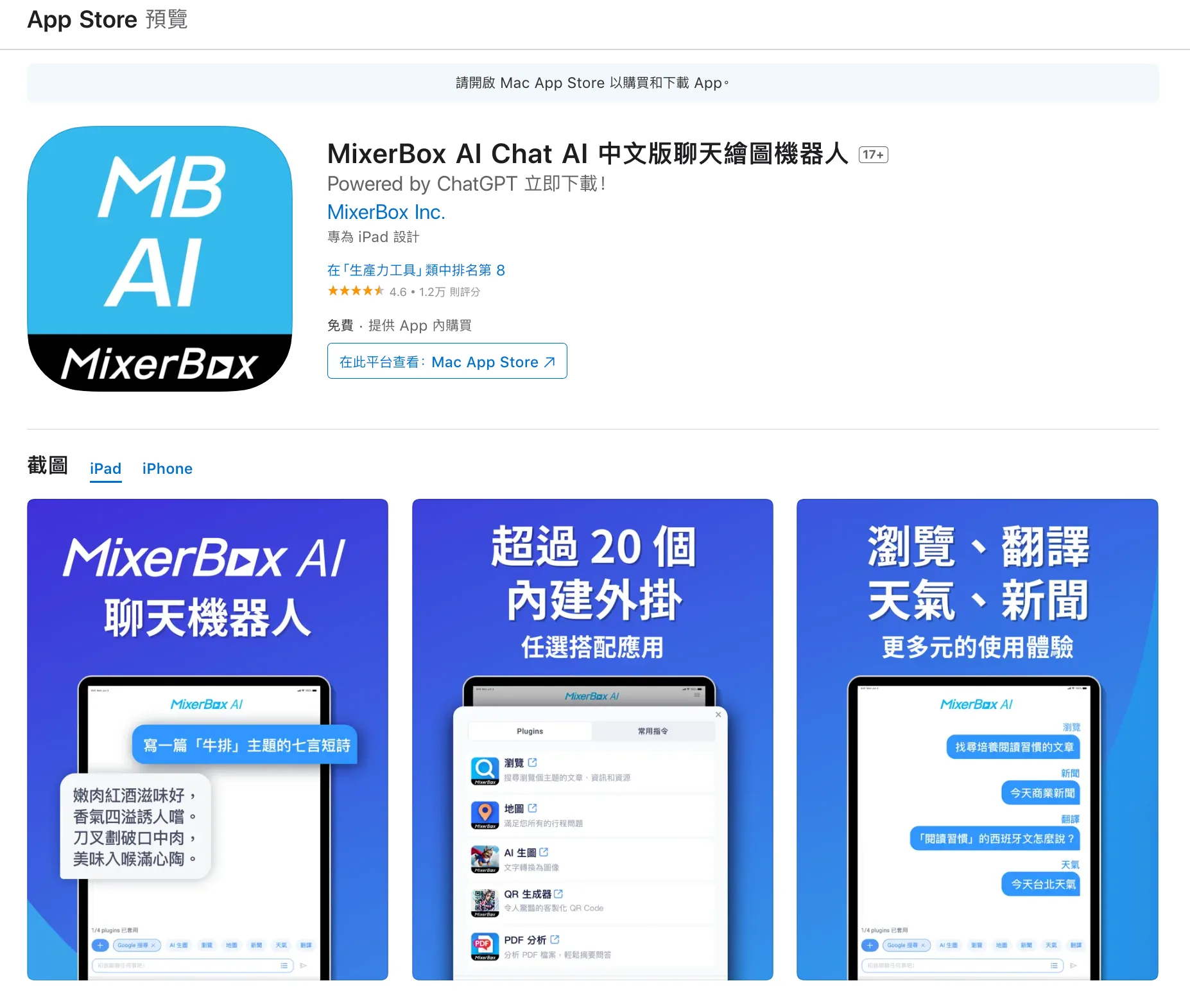
Download:
To download and use this AI chatbot for free, tap MixerBox AI. The system will automatically pick the right version for your device and install it. If you use the web version, you don’t even need to download anything!
-
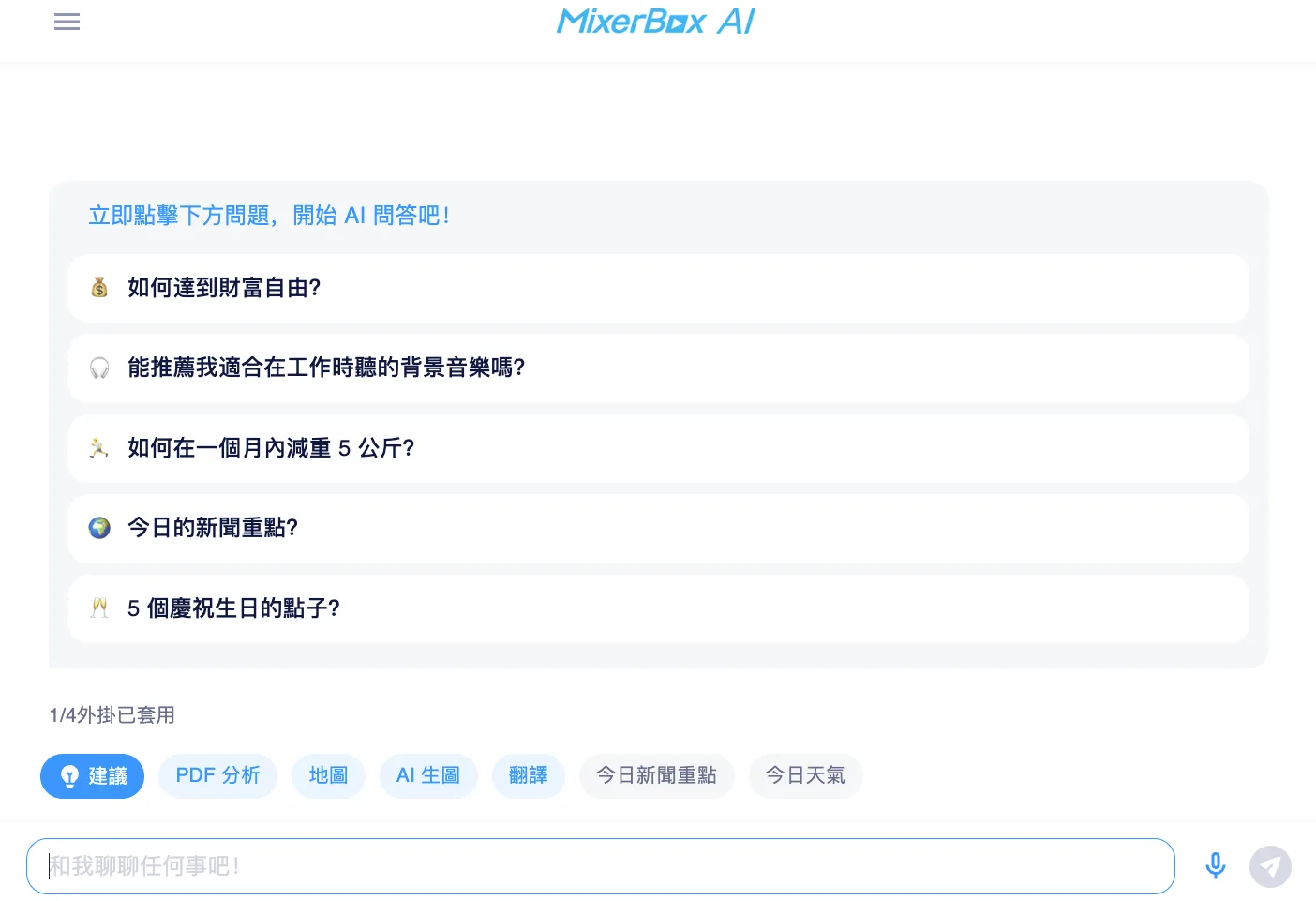
Use:
Once it’s installed, open the app and you can start chatting with MixerBox AI about anything!
-
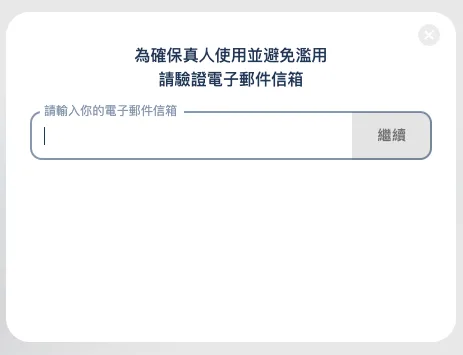
Sign up (optional)
You can use MixerBox AI right away without logging in, but we recommend quickly signing up with your email to unlock the full set of features.
What Is MixerBox AI?
MixerBox AI has long been the No. 1 free AI chat app developed in Taiwan and has been widely covered by dozens of Taiwanese media outlets. It was the first Traditional Chinese chatbot powered by ChatGPT, and has been called the ChatGPT that understands Taiwanese people best. It has racked up more than 10,000 positive reviews on the App Store and Android in Taiwan, with ratings as high as 4.6 to 4.7.
MixerBox is a software company headquartered in Silicon Valley with its R&D team in Taiwan. It is backed by Y Combinator, Silicon Valley’s famous unicorn-making accelerator, and is dedicated to building more convenient, easier-to-use Super-Apps, so that more people can enjoy the world’s most advanced technology in the simplest way possible, right alongside everyone else around the globe.
MixerBox AI is exactly that kind of product. In a nutshell, it comes down to 6 key features:
1️⃣ Integrates several of the most advanced AI models, including ChatGPT
2️⃣ More than 20 ChatGPT plugins, including web browsing, AI image generation and PDF summaries
3️⃣ No download or sign-up needed, and you can use it right inside Facebook and LINE! (How do I set it up for free?)
4️⃣ Built-in voice assistant for hands-free voice control
5️⃣ Custom chatbots
6️⃣ Fully Traditional Chinese interface
14 AI Tools You Can Still Use for Free in 2024: The Complete Guide
How to Use MixerBox AI: 4 Key Use Cases
MixerBox AI is a general-purpose AI assistant with a wide range of uses. If you’re just getting started, we suggest beginning with these 4 most common use cases. (AI for Beginners: 7 Top Free Online Courses + A Complete Guide to Teaching Yourself AI)
Chat and Look Things Up: Pair It with the Web Browsing Plugin
While most AI chatbots require a paid plan to connect to web search, MixerBox AI offers web browsing in its free version. We recommend turning on the web browsing plugin (the system usually turns it on for you by default) so you can always find the latest information.
From there, you can use the basic chat feature to talk with the AI in natural language. Ask it questions, get advice, or simply enjoy a thoughtful conversation partner. Chat with MixerBox AI about anything!
Writing and Translation: Let AI Help with Homework and Reports
According to a MixerBox AI survey, writing and generating documents, along with language translation, are users’ favorite AI features.
Whether you’re a student or a working professional, everyone wants a powerful, convenient writing assistant to help with all kinds of paperwork.
For students, this AI is a handy writing tool. It doesn’t just act as a grammar and spelling assistant that catches mistakes in your homework or papers at any time. More importantly, it can give detailed explanations and guidance, so it can double as a free English tutor!
For office workers, whether you’re planning marketing copy, a business plan, a press release or emails, MixerBox AI can save you loads of time. Just describe the topic and purpose, and the AI will quickly produce a professional-quality first draft, summarize the key points and lay out a sensible structure for the piece. All you need to do is tweak and add to that foundation, and you can turn out finished work in no time.
Custom Chatbots: Wipe Out Repetitive Work
Do you have a lot of repetitive work every day, like meeting notes, client requests or homework reports? Make the most of MixerBox AI’s custom chatbots and let AI help you automate the work!
For example, you can use a custom chatbot to organize the notes from your daily routine meetings. Set up the meeting’s purpose, attendees and summary requirements once, and you can also feed information about your own products or services into the AI’s knowledge base, and you’ll have your own AI secretary. After that, just hand the AI your transcript after each meeting, and it will automatically summarize the key points into meeting notes!
The MixerBox AI platform already features popular custom chatbots shared publicly by other users, so you can see for yourself, at no cost, how precisely AI can understand and carry out your instructions.
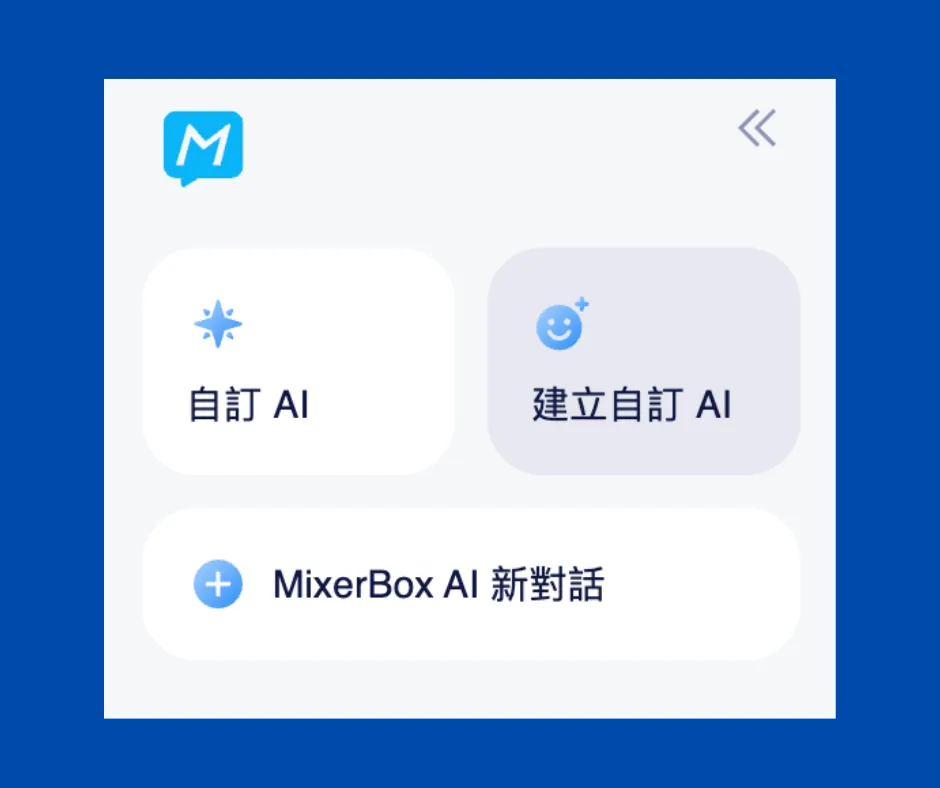
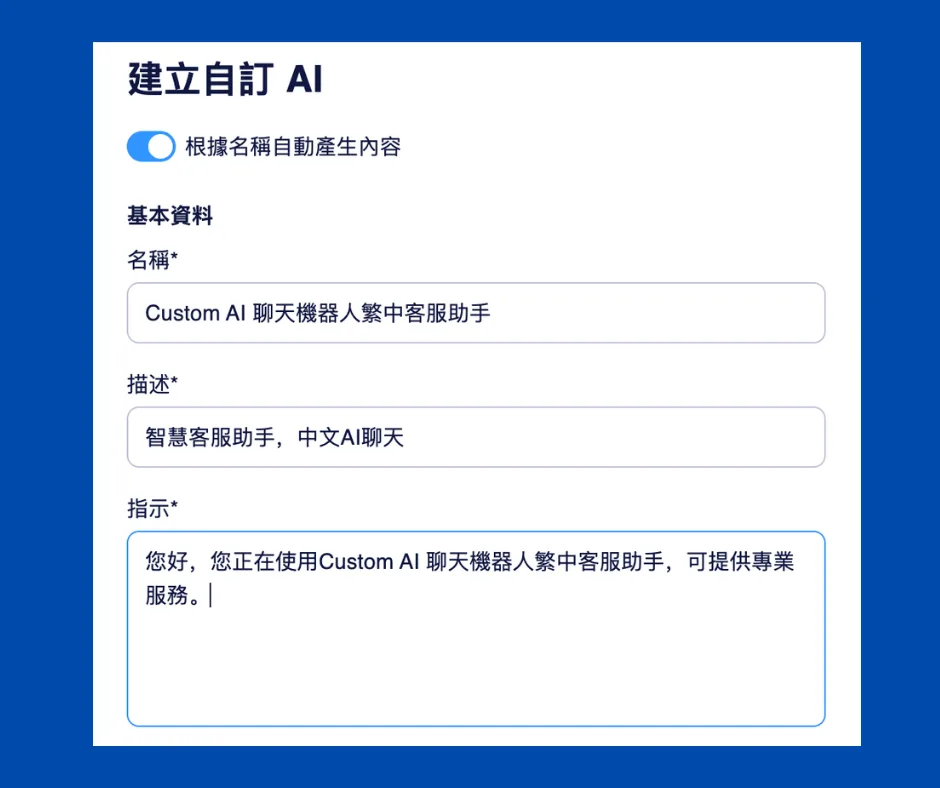
Custom AI chatbots are a brand-new concept. If you’re not sure where to start setting one up yourself, follow these suggested steps:
1️⃣ Tap “Create Custom AI”
2️⃣ Enter a name for your custom chatbot in the “Name” field, and the AI will automatically generate the related details.
3️⃣ In “Knowledge Base Sources,” enter the URLs of any data sources you need.
4️⃣ You can also adjust items such as “Image URL,” “Custom AI Link” and “Conversation Starters,” then tap “Publish” and you’re done!
AI Image Generation: Your Own Free Graphic Designer
Image generation is one of the most popular uses of large AI models, and platforms such as MidJourney and Stable Diffusion have earned plenty of praise. But these dedicated AI image platforms can be hard to get into, while MixerBox AI’s image generation can be your free, self-serve graphic designer, right at your fingertips.
Tap the AI image generation plugin above the chat box to create all kinds of images instantly with AI. It can generate any image in seconds, saving you the time and effort of hunting for the right picture and letting you make all sorts of wildly imaginative images that truly unleash your creativity. You become the best art designer and photographer around.
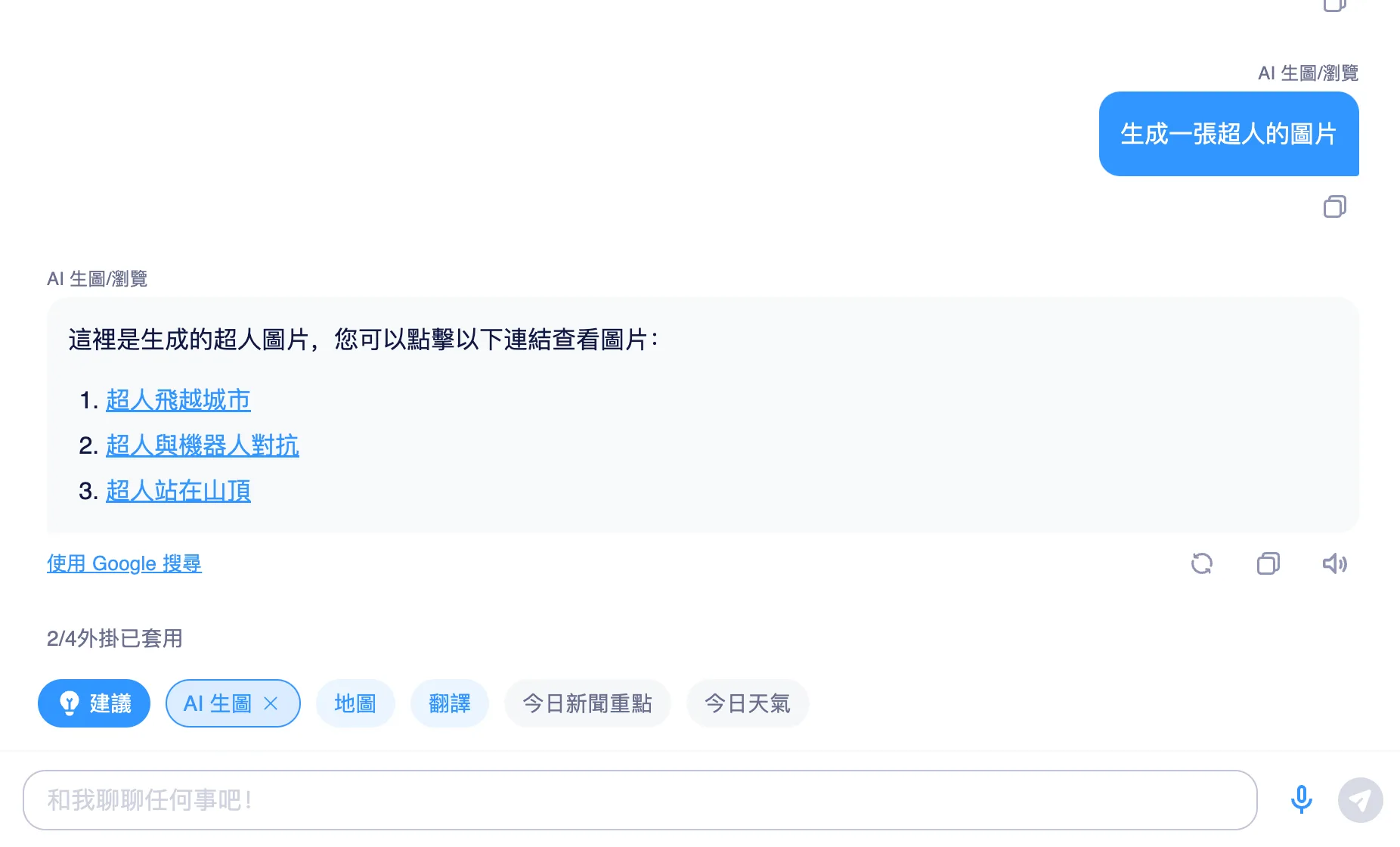
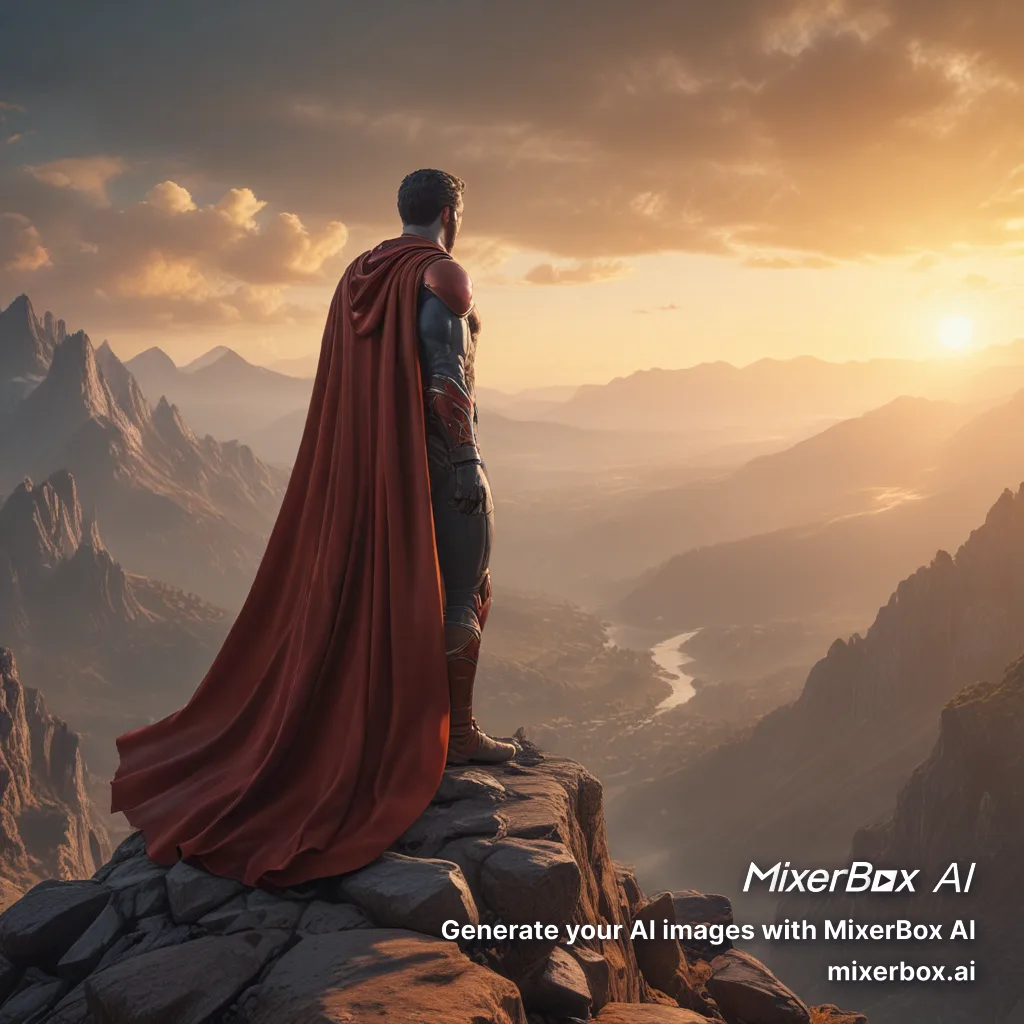
A stunning superhero image made with AI image generation
Advanced MixerBox AI: Master These 7 Tips
We know that communicating effectively with AI sometimes takes a bit of experience and learning, but don’t worry: we’ve put it all together for you.
Now that you’re familiar with the basics of MixerBox AI, you can gradually work in the following 7 practical tips to sharpen your question-asking skills and take the AI’s accuracy to a whole new level!
-
Provide context and background information
Giving more context and background information when you interact with AI is the key to improving the accuracy of its responses. It helps the model understand the conversation and give more accurate answers. Context includes earlier questions in the conversation, the topic of the conversation, and specific situations or events. -
Try structured input
Clear, well-organized questions are the way of speaking AI understands best. Try using structured input to help the AI understand what the task requires. -
Keep asking follow-up questions
If the AI’s response isn’t accurate, try asking more follow-up questions to help it understand the context, which improves the accuracy of its answers. -
Give examples
If possible, give a few hypothetical examples to help the chatbot better understand the task and the response format you expect. -
Clearly assign a role
Clearly assigning the AI a role helps it better understand its task and the situation in the conversation, so it can produce more suitable responses. A role can specify the tone, level of expertise and amount of detail the AI should use, which is especially important for getting accurate answers in specific situations. -
Use keywords
Use fitting keywords or technical terms in your prompts. These keywords can guide the AI’s generation process more precisely and help it produce higher-quality responses. -
**Cut unnecessary information
**Remove unnecessary information whenever you can. Although context and background help the AI better understand what you need, be careful not to provide too much irrelevant information, which can distract the AI and lead to off-topic answers.
AI for Beginners: 7 Top Free Online Courses + A Complete Guide to Teaching Yourself AI
👉👉 Download the MixerBox AI app for free and explore more handy features: mbapp.io/MixerBoxAI
👉👉 Advanced MixerBox AI guides:
Custom AI Now Free, and Your Favorite Commands Are Now Fully Customizable
4 Super-Useful AI Plugins That Dramatically Speed Up Your Workflow
MixerBox AI Lets You Use ChatGPT Right in LINE and Facebook for Free! No Download, No Sign-Up!
How Do You Use the Facebook AI Chatbot? How to Set It Up for Free
👉👉 Further reading:
14 AI Tools You Can Still Use for Free in 2024: The Complete Guide
8 High-Income Skills for the AI Era You Can Learn for Free in 2024
New York Times Picks: 5 AI Books You Should Read in 2024
“Manager Mode” vs. “Founder Mode”? YC’s Founder on the Management Myths of Scaling a Startup