
4 Super-Useful AI Plugins That Dramatically Speed Up Your Workflow
January 8, 2024
If you’ve already started bringing AI into your work, you’ve probably realized how smart and powerful generative AI is. Whether it’s looking up and organizing information or brainstorming creative ideas, AI can knock out a huge number of tasks for you in an instant. So what if an answer is a bit unsatisfying now and then? Just press a button and AI will immediately generate 10 different ideas for you. But there are even more ways to use AI to dramatically boost your productivity. The secret is making the most of all kinds of plugins.
This post introduces 4 super-useful plugins developed by [MixerBox AI](http://MixerBox AI) that can dramatically speed up your workflow. Every plugin listed below has been put through real-world testing. We’ll introduce what each one does and show how to use it to speed up your workflow or boost your creativity.
Better yet, every [MixerBox AI](http://MixerBox AI) plugin is free to use, and you can run up to 4 plugins at the same time.
🔍 Google Search 🔍
[MixerBox AI](http://MixerBox AI) comes exclusively with a smarter search engine: Google Search. Just open the MixerBox AI chat interface and turn on the “Google Search” plugin, and every prompt you enter will give you both Google search results and an automatic AI summary. You can also switch between “All,” “News,” “Images” and “Videos” right in the Google search results box to see different results.
When we tested it by entering “Japan earthquake,” MixerBox AI not only immediately found the latest information on the magnitude 7.6 earthquake on the Noto Peninsula on Japan’s northwest coast, but also provided a concise summary of the sources. If you need more, you can tap “See more” at the bottom of the Google search results box to dig deeper. This feature can dramatically boost your efficiency when researching and organizing different kinds of information.


👓 Browsing 👓
If you just want web search results summarized automatically by AI, we recommend using the “Browsing” plugin. [MixerBox AI](http://MixerBox AI) will give you a concise summary directly, along with several recommended links to related web pages.
For example, when we entered the same “Japan earthquake” query, the “Browsing” plugin not only quickly condensed the key information online into a short summary, but also listed related coverage from the BBC, The Wall Street Journal and others for you to click through.

🌎 Translate 🌎
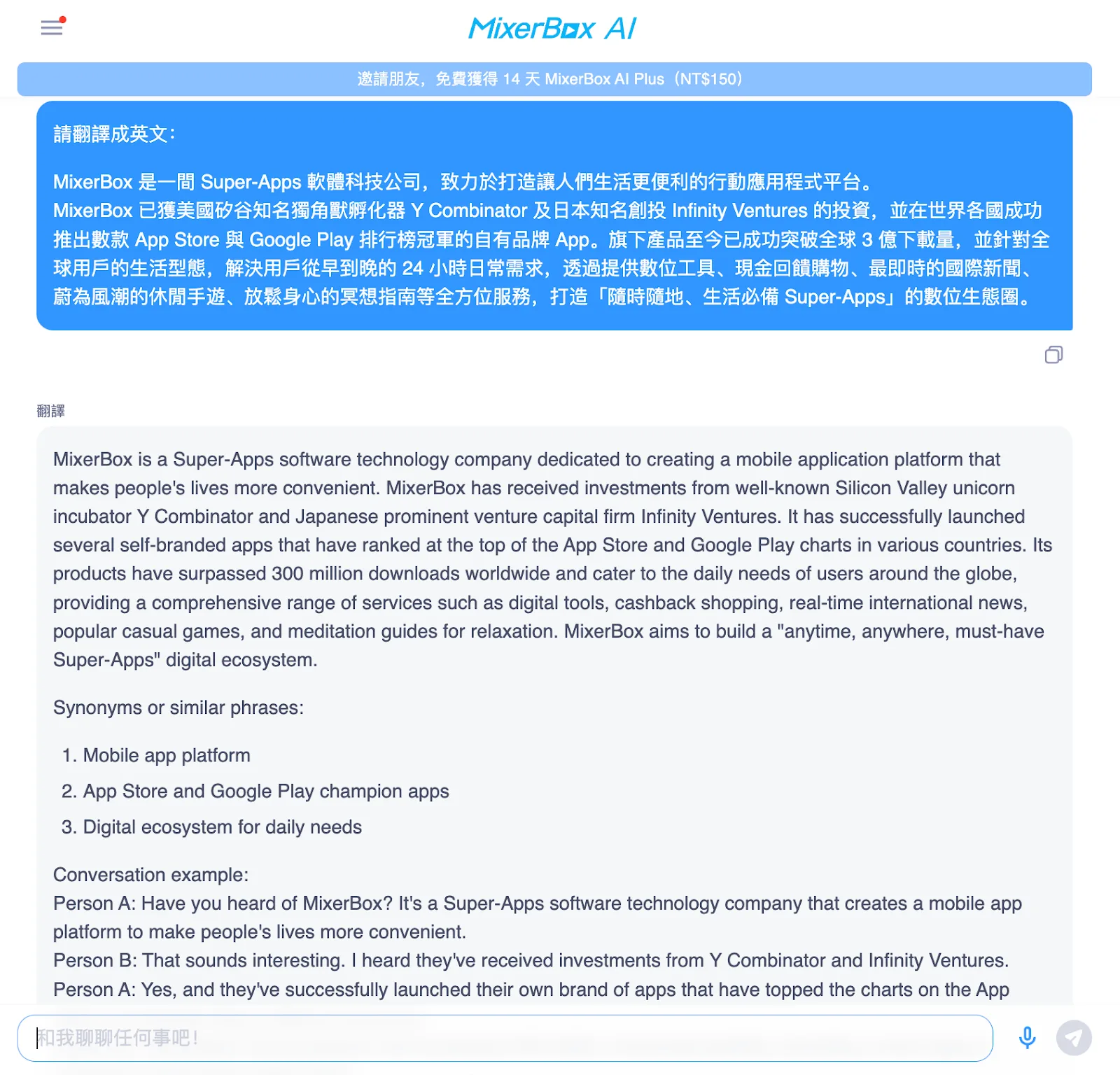
Translating foreign languages may be one of the most common situations at work, and also one of the most useful things AI can do. [MixerBox AI](http://MixerBox AI)’s “Translate” plugin isn’t just a simple translation tool that handles languages quickly; it’s also a free language-learning tool that proactively shows you how expressions are used in specific situations, so you can truly master what the foreign language means.
When we tested it by translating MixerBox’s company introduction into English, the MixerBox AI “Translate” plugin not only provided the English translation but also automatically generated synonyms for key terms and sample dialogues, so you can learn how related expressions are used at the same time.
📝 PDF Analysis 📝
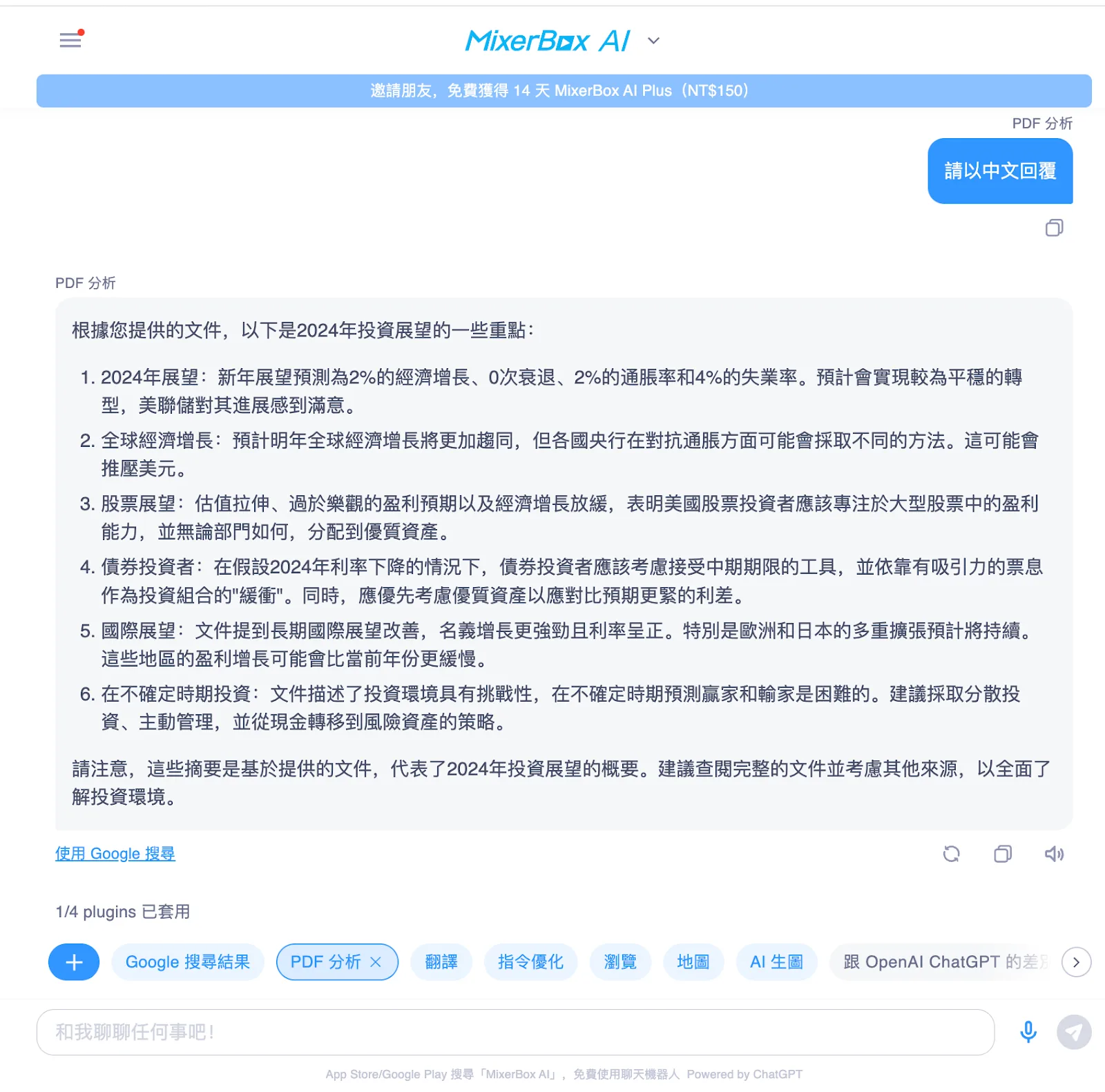
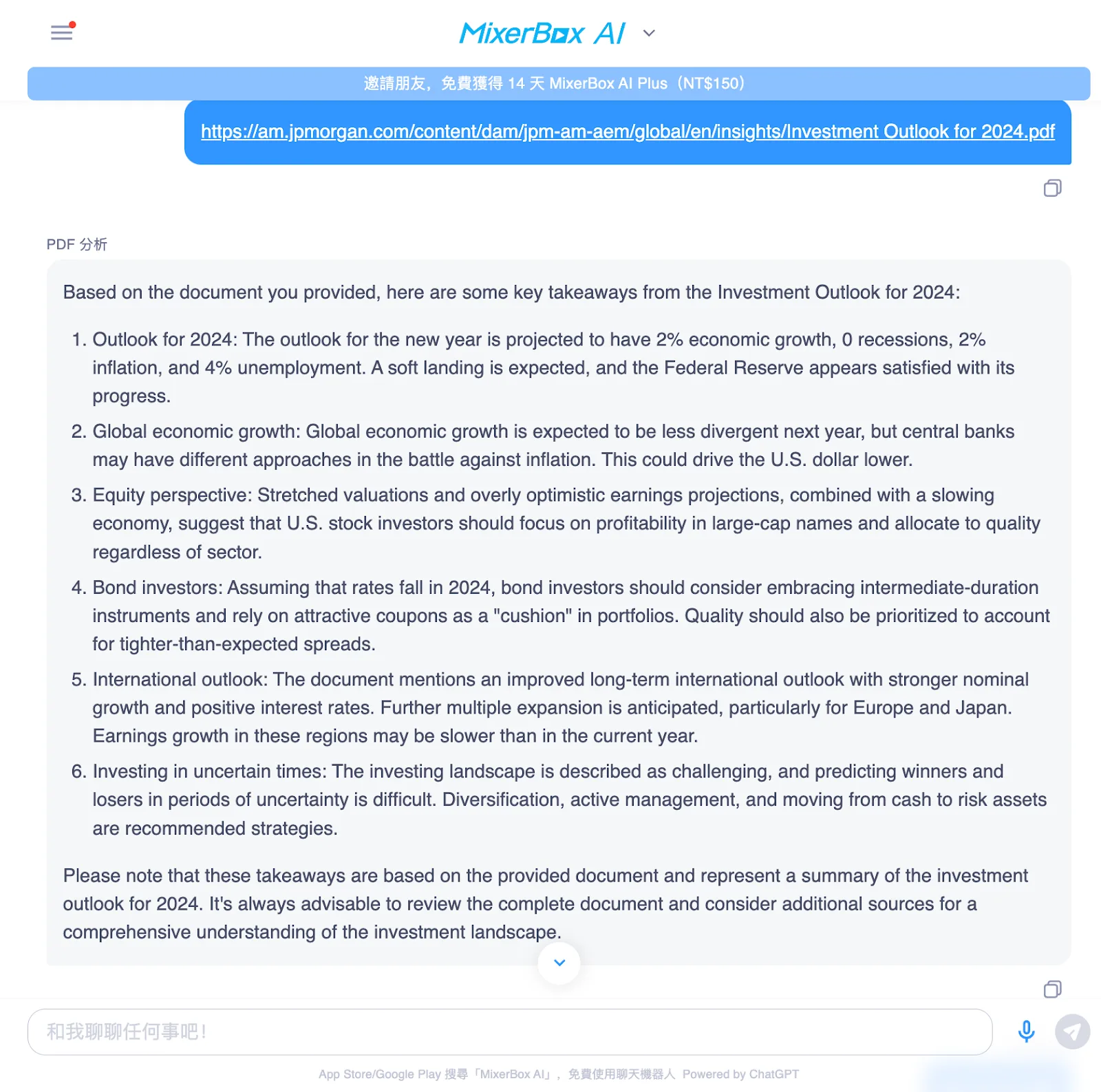
Many of us need to read PDF documents for work or study, and that often takes a lot of time. [MixerBox AI](http://MixerBox AI)’s “PDF Analysis” plugin can quickly browse and analyze a PDF from the URL you provide and generate a summary in real time. Even a PDF hundreds of pages long can be boiled down to its key points in a second.
We tested it with JPMorgan Chase’s 2024 economic forecast, 2024 Year-Ahead Outlook – The Last Leg on the Long Road to Normal. It’s a 14-page report entirely in English. But just enter the document’s URL, and MixerBox AI’s “PDF Analysis” plugin immediately summarizes 6 key points. If you’d prefer to read it in Chinese, don’t forget that you only need to ask the AI to “reply in Chinese”!
These 4 [MixerBox AI](http://MixerBox AI) plugins aren’t just handy helpers at work; they’re productivity accelerators. And they’re all free! So don’t wait. Start using these plugins now and give your workflow a serious power-up!
👉👉 Try MixerBox AI: https://mixerbox.ai
👉👉 Want the latest MixerBox AI news? Follow the MixerBox fan page!