
Use Custom AI for Free Here! Try Out Different Personas: AI MBTI Master, Customer Service Bot, Meeting Summary Assistant and More!
January 12, 2024
Try the Latest MixerBox AI for Free
Want to use the paid version of ChatGPT for free? On MixerBox AI, just sign up and you can use “custom GPTs,” the latest feature from ChatGPT’s paid plan, for free! [Seize the opportunities of the AI era](http://AI 時代的 5 大機會,你掌握到了嗎?)!
Do the meeting notes, client requests or assignment reports you have to sort through every day keep eating up too much of your time? But you don’t want to pay someone to help? Try the free MixerBox AI custom AI bots and these super-useful AI plugins that dramatically speed up your workflow, and let AI automate your work!
Starting today, MixerBox AI offers free custom AI bots — just sign up to use them for free! No coding required: tell MixerBox AI what you need in everyday language, and it will create a bot just for you.
MixerBox AI is powered by GPT-3.5, GPT-4 and other large language models, and has already earned more than 10,000 positive reviews on the App Store and Android, with ratings as high as 4.6–4.7.
The MixerBox AI platform already has many custom bots, shared publicly by MixerBox or by users, that you can use right away:
🏆 The Latest Custom AI Leaderboard
📌 Handy tools: Mom’s Recipe Expert, Meeting Summary Assistant, English SEO Expert, AI Travel Helper
😜 Fun chats: AI MBTI Master, Dating Coach, Virtual Sweetheart, The Campus Beauty from the Student Council
All of these bots made and shared publicly by other users, as well as the custom bots you create yourself, are free. Without paying a cent, you can experience how precisely AI can understand and carry out your instructions.
For example, brands and businesses can use MixerBox AI to build a fully customized customer service AI bot without writing any code. Just tap “Create Custom AI,” then add information about your products or services to the AI knowledge base, and you can instantly generate a customer service AI bot.
Custom AI bots are a brand-new concept. If you’re not sure where to start, you can follow these suggested steps:
**1. Tap “Create Custom AI”
**
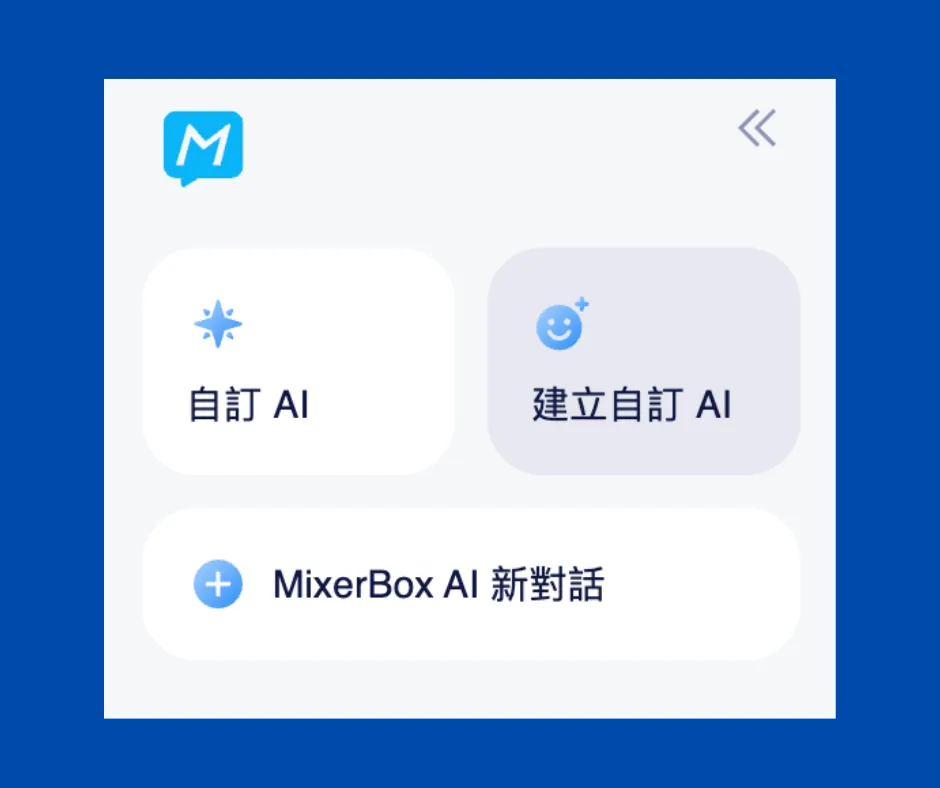
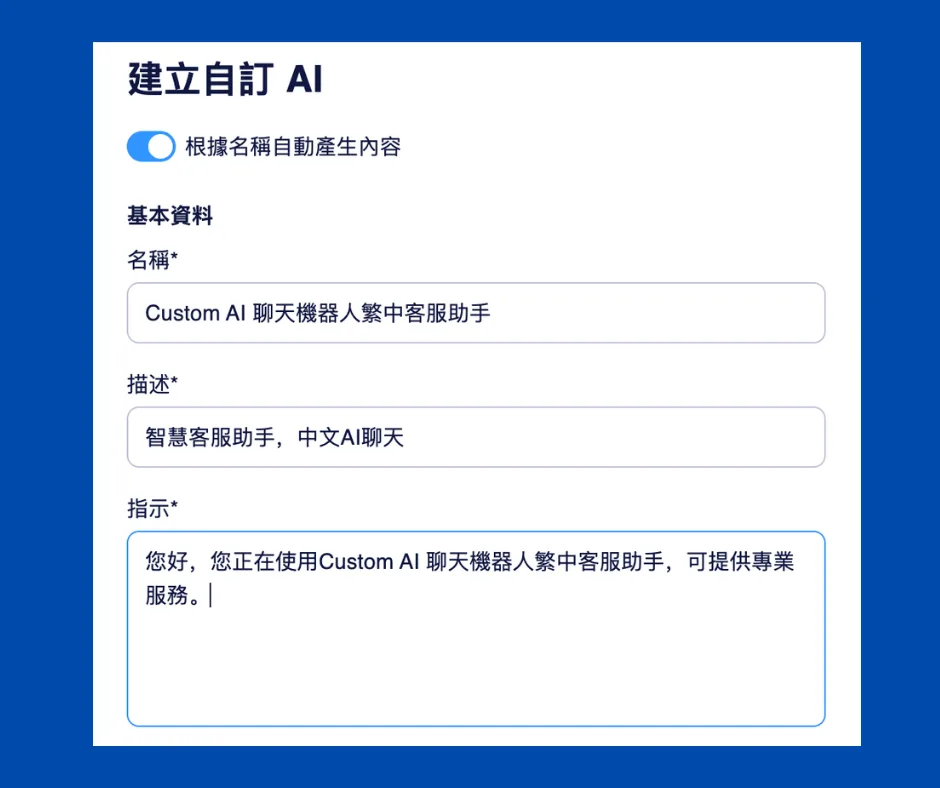
2. Enter a name for your custom bot in the “Name” field, and the AI will automatically generate the bot’s “Description” and “Instructions” (prompt). You can also edit them yourself to get them just right.
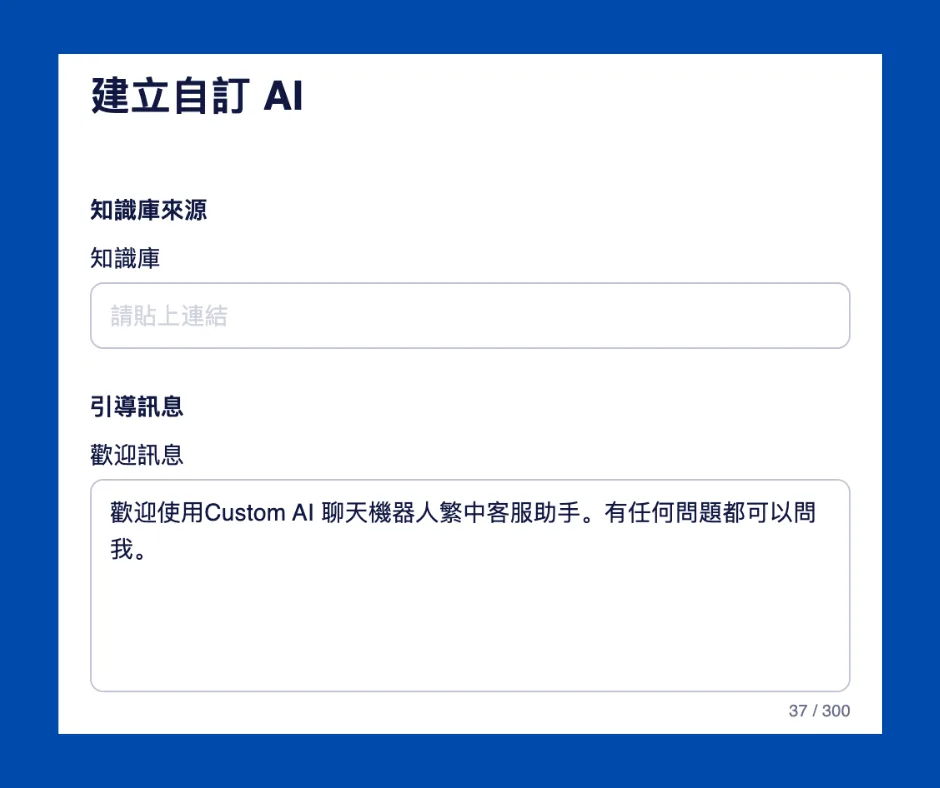
3. You can also enter the URLs of any data sources you need under “Knowledge Base Sources.” If you don’t need any, you can leave this field blank. (Quick tip: if your data source doesn’t have a ready-made website, you can upload the document to the cloud and set its permissions to public so MixerBox AI can read it.)
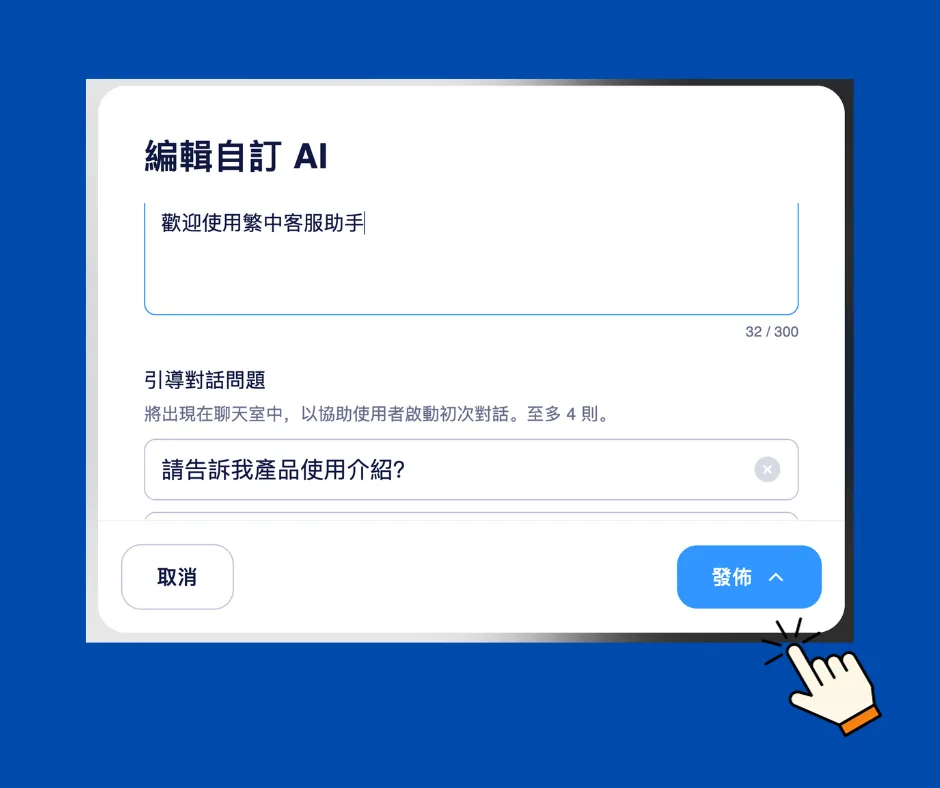
4. You can also adjust other settings such as “Image URL,” “Custom AI Link” and “Conversation Starters.” Finally, tap “Publish” and you’re done!
👉 Try MixerBox AI: mixerbox.ai
👉 Want more of the latest MixerBox AI news? Follow the MixerBox Facebook page!
👉 MixerBox AI Chatbot 2024: Free Download and Getting-Started Guide
👉👉 More popular articles:
4 Super-Useful AI Plugins That Dramatically Speed Up Your Workflow
The 5 Big Opportunities of the AI Era — Are You Seizing Them?